System Overview Documentation
Summary
The Ensenta My Deposit Single Sign On system is based on a temporary key that is given to the FI for each EU session. The temporary key is short lived (5 minutes) and is unique.
SSO Session Overview
A SSO session consists of the following steps:
- The EU logs on to the FI’s web site.
- The FI displays a link or button for My Deposit.
- The user clicks the link or button for My Deposit.
- The FI requests a Session Key from Ensenta and sends Ensenta the EU’s information.
- Ensenta returns a Session Key and URL for the My Deposit site.
- The FI redirects the EU using the Session Key and URL to the My Deposit site.
- The user uses My Deposit to make a deposit or payment.
- The user ends the session on My Deposit site.
User Experience
The Financial Institution is responsible for the user experience during the transition to the My Deposit site. The following are some recommended options:
- Same window
- New window
Process for establishing Security and Authentication
Transport Layer Security (TLS)
Digital Certificate
Ensenta will supply the FI with separate documentation for generating a client certificate that will be used by the Ensenta My Deposit Single Sign-On system to identify the FI. The FI must also supply Ensenta with the IP address from which access to SSO will be made (as appropriate: UAT, Prod, Prod DR). During the Start Session request, the request’s digital certificate will be compared to the FI’s known certificate and predefined IP address to validate that the request is legitimate. If either the certificate or the IP address do not match the FI, the request will fail.
TLS Certificate
For a test environment, Ensenta may also supply a TLS certificate.
Establishing a Session
The EU session is established using a 3-step process.

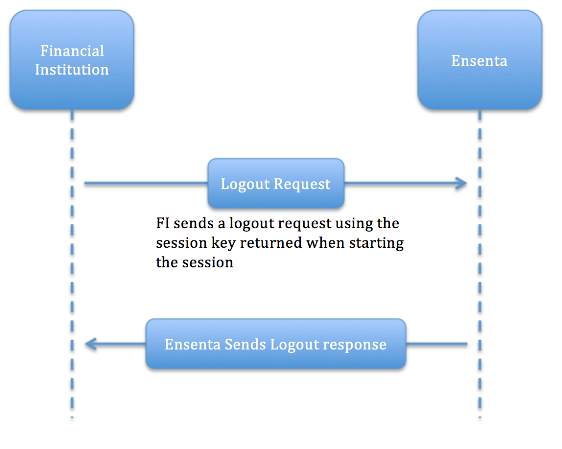
Remote Logout
The FI may end an EU’s session on My Deposit. The remote log out feature may be used if an EU’s session on the FI website times out while the EU is using My Deposit.