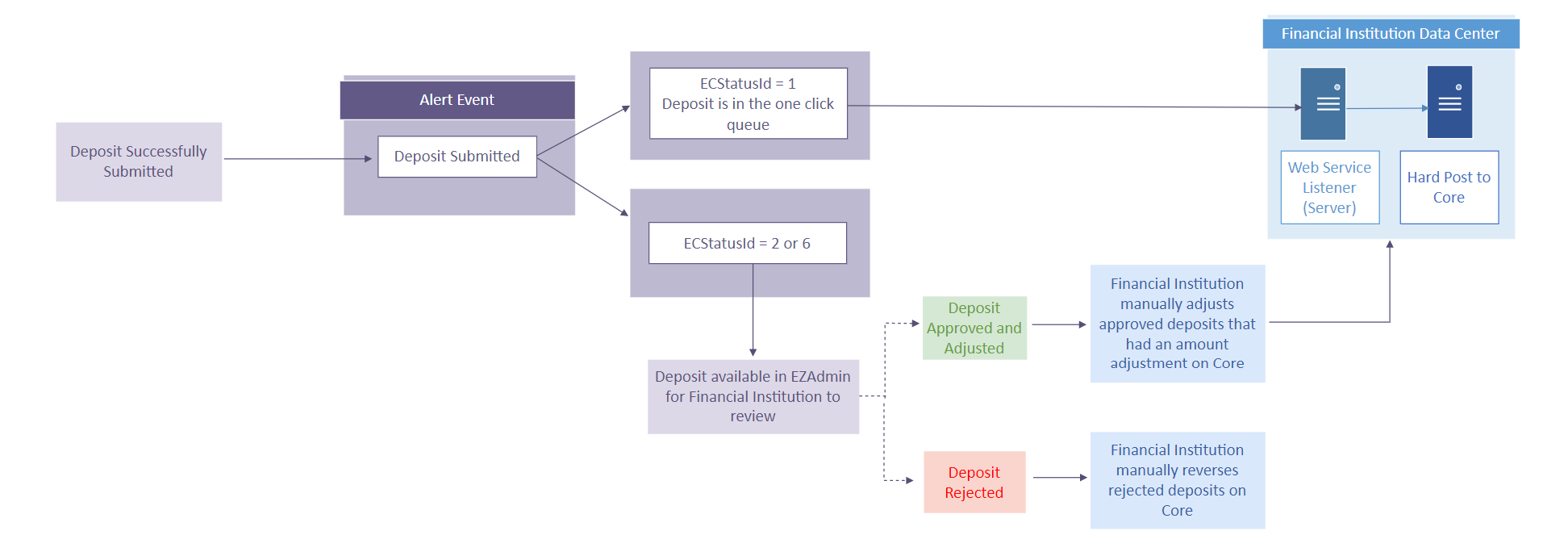
Real-Time Posting: Hard Post
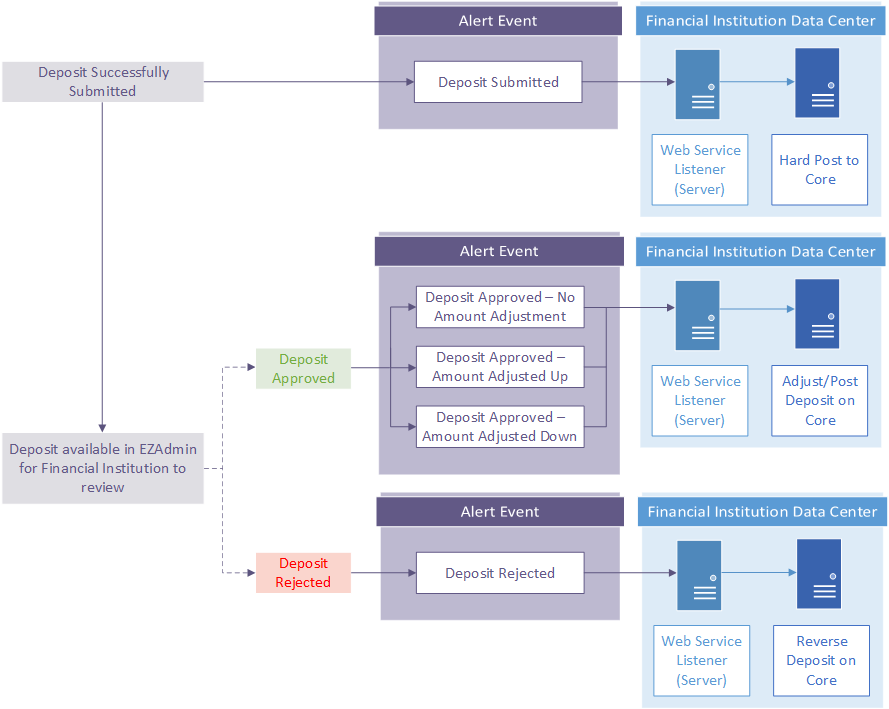
Supporting all alert event types is the most complex of the workflows but offers a lot of flexibility. Below are recommended solutions.
Deposit Submitted
For Hard posting, this is the preferred workflow as it satisfies the desire for the end user to have their deposits posted in real time. The determining factor for this over the Deposit Submitted workflow is that it also reduces the operational impact to the financial institution as check amount adjustments and reversals are handled automatically through your solution. Related to adjustments and reversals, if you do not support Multiple Status Alert Events, it will result in the financial institution having to manually update the core with any adjustments to the check amount and reversals for rejected checks if they re-decision a check. It is also critical that the financial institution is regularly monitoring the solution and resolving exceptions as quickly as possible (see section Exception Handling).
Deposit Submitted - One-Click Queue
This workflow satisfies the desire to post items when they are approved. Items that fall within the one-click queue on the deposit submitted event shouldn't need a review and are automatically approved when the financial institution's end-of-day file is cut. Items that fall within a review queue will need to be posted after approved.