Single Sign-On
Single Sign-On is achieved using JSON Web Encryption (JWE) tokens to minimize the implementation effort for the integrator. Proper measures, such as end-to-end encryption, are taken to ensure security. During the onboarding process, a public key will be shared with the integrator and the JWE token is generated by encrypting the payload using the public key.
Workflow - Web
The toolkit provides two approaches to launch the Zelle Experience in the Web.
Approach 1 – Direct Post
In this approach the FI Web App posts the required data to the ZTK directly. The workflow for this approach is depicted below:
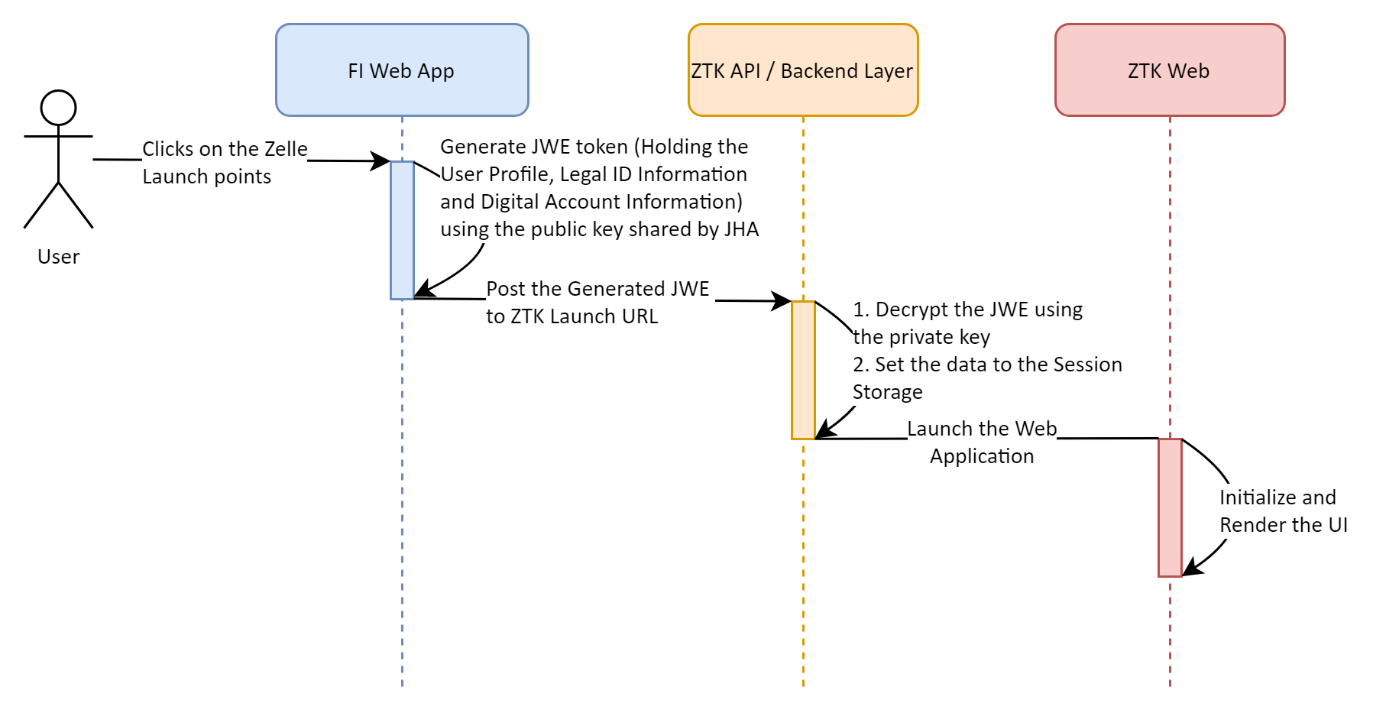
- Once the user accesses the Zelle experience in the FI application, the application generates a JWE token with the payload containing the following information:
- User Profile
- Legal ID Information
- Core Customer ID Information (Optional)
- Digital Account Information
- The JWE token is encrypted using the public key shared by the ZTK to the FI application.
- Once the JWE token is created, the FI Web application launches the ZTK Web layer by posting the JWE token to the given endpoint.
- The ZTK Backend layer decrypts the token using the private key. If the token is valid, the endpoint will perform the following actions:
- A Session ID is created.
- The payload of the JWE token is stored in the Session store against the Session ID.
- Once the payload is stored in the session, the ZTK Web app is launched.
- The ZTK Backend layer decrypts the token using the private key. If the token is valid, the endpoint will perform the following actions:
Approach 2 – SSO Token
In this approach the FI Web App triggers a HTTP request to the FI Server and the FI Server communicates with the ZTK to generate the SSO Token. The SSO token can be used to launch the Zelle Experience. The workflow for this approach is depicted below.
- The FI’s client application will make a request to its server application to get the one time usable ZTK SSO token and in turn the FI’s server will generates a JWE token with the payload containing the following information:
- User Profile
- Legal ID Information
- Core Customer ID Information (Optional)
- Digital Account Information
- The JWE token is encrypted using the public key shared by the ZTK to the FI application.
- FI’s server make a request (POST) to ZTK API with necessary details along with JWE.
- Once the request is validated by ZTK API, ZTK will return a one-time usable secure token to the FI’s server which in turn will be communicated to the FI’s client application by FI server
- Now, the FI client application will load the Zelle experience in an iFrame / redirect to Zelle experience using the GET URL with the ZTK SSO token.
Workflow - Mobile
The workflow for the SSO for Mobile Lite SDK is depicted below:
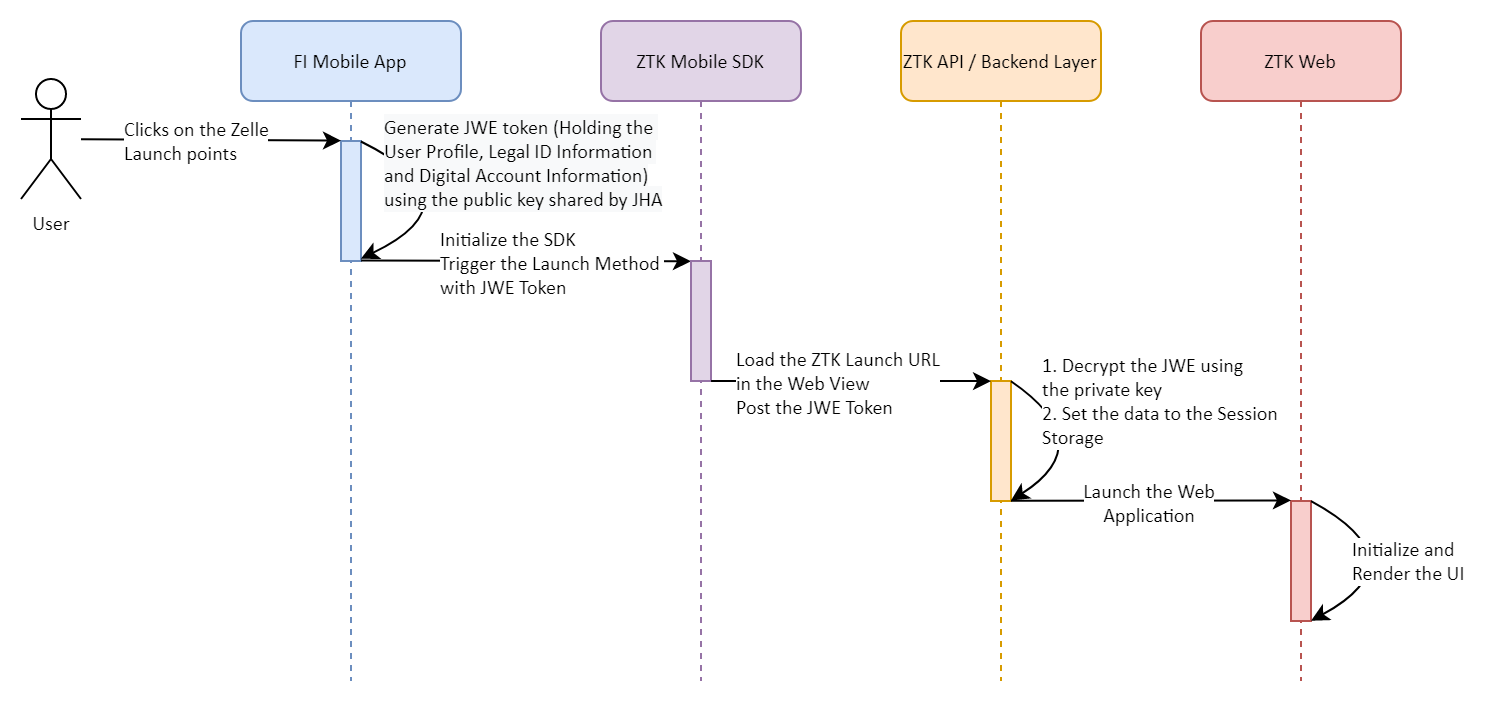
- The Mobile Workflow follows a similar path as the web workflow.
- The JWE token is shared to the Mobile Lite SDK and the SDK will load the Web hosted Zelle Experience in the WebView. The Mobile Lite SDK posts the required information to the Web hosted Zelle Experience.